free · on-device dictation for macOS

Speak. It's written.

Hold fn anywhere on your Mac and talk. Let go, and it's typed, punctuated and done. The model runs on your chip, so nothing you say leaves the room.

hold fn · say it · let go
scroll
01 words

Say it the way you'd say it.

Notes
Monday
Deck v3 notes
Groceries
Priya 1:1
Ideas

Monday

Today at 9:42
um send it tuesday, no wait, friday, and cc priya on the, on the deck
Send it Friday and cc Priya on the deck.
Priya added to your dictionary
fn down

Talk like a person.

Ums, restarts, the thing you said twice. Yena listens to all of it while you hold the key. You don't have to speak like a form.

reading the whole thing

It hears you change your mind.

"No wait, Friday" means Friday. Yena reads the whole take before it writes a word, so your corrections win and the false starts go.

fn up

Typed where your cursor is.

Punctuated, capitalised, in your own words. Nothing rewritten, nothing padded. It reads like you, on a good day.

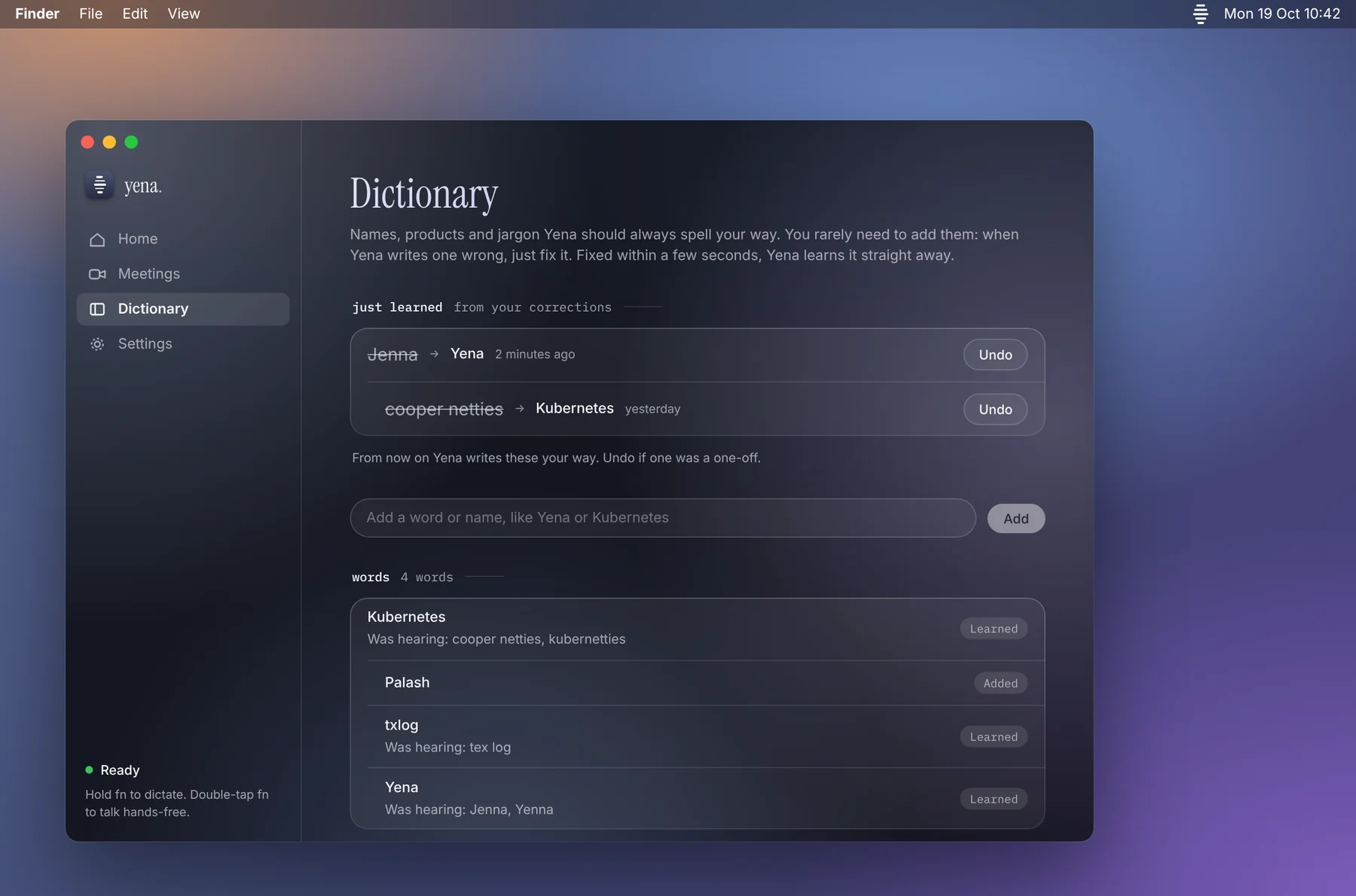
dictionary

Fix a name once.

Correct it in the text and Yena learns the spelling. Priya stays Priya, Kubernetes stops being cooper netties, your product gets its capital letter.
02 anywhere

Any app. Any text field.

New Message
To: Priya Nair
Subject: Deck v3
Sam
at the cafe, want anything?
yes please
zsh · yena
~/code/yena main*
❯ git commit -m ""
TextInserter.swift
AppState.swift
FnKeyMonitor.swift
TextInserter.swift
Theme.swift
41func insert(_ text: String) {
42  //
43  guard !text.isEmpty else { return }
44  pasteboard.write(text)
45}
mail

The reply you've been putting off.

Yena types where your cursor is. It isn't a window you paste out of. Hold fn in Mail and the email writes itself as you talk.

messages

Faster than thumbs.

Three sentences in four seconds. Punctuation and capitals included, so it doesn't read like you were running.

terminal

Even the commit message.

Anywhere macOS lets you type, Yena types. Terminal, Slack, Figma comments, that internal tool with the ugly text box.

your editor

Think out loud in code.

Comments, docstrings, the PR description. Say it while it's in your head, then get back to the function.

03 meetings

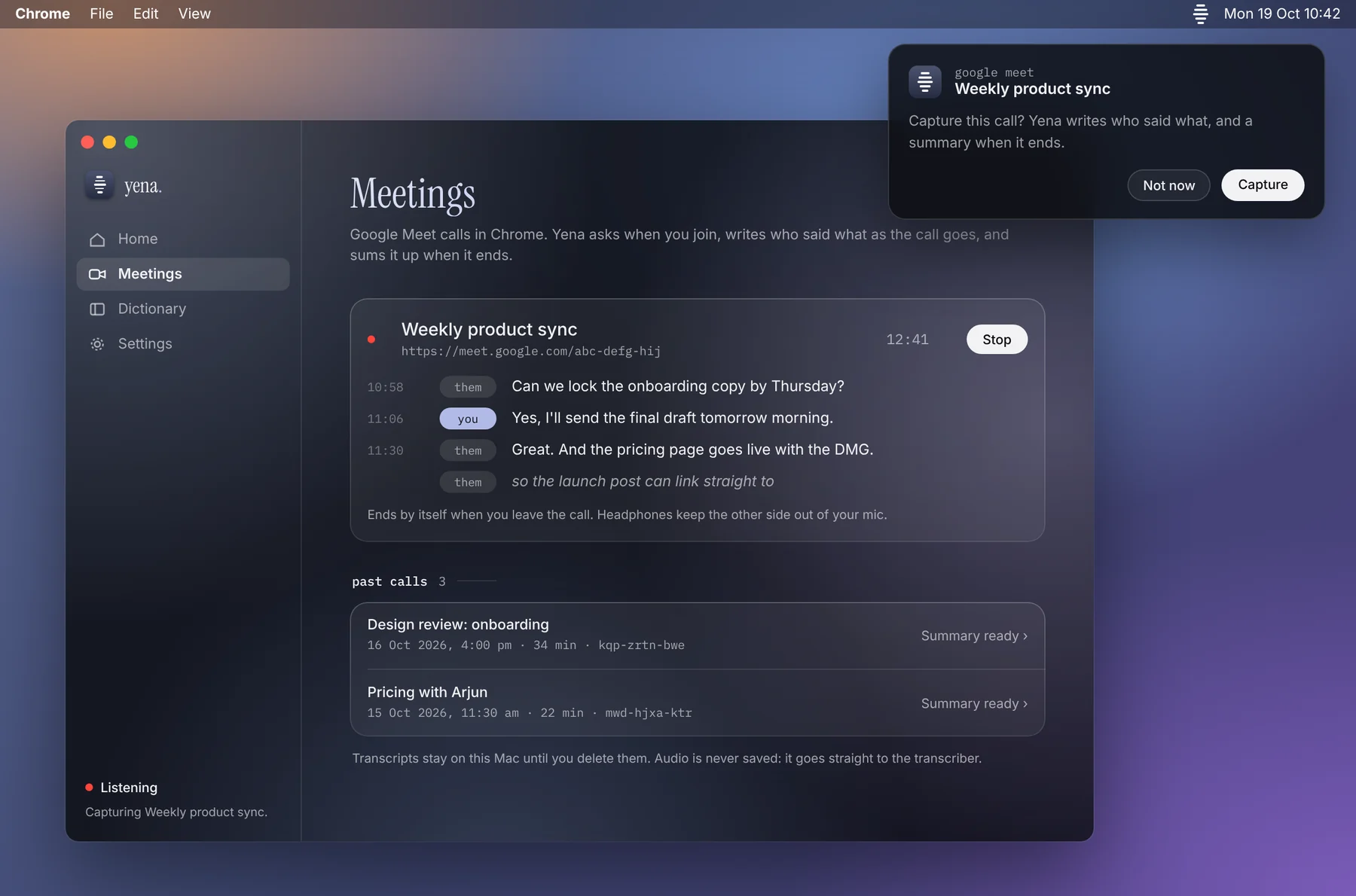
The call, on paper.

Weekly sync · Google Meet
meet.google.com/kqp-wvzd-hnm
PPriya Nair
SSam Ortiz
MMei Tan
YouYou
Capture this call?
Yena noticed a Google Meet tab. The transcript stays on this Mac.
CaptureNot now
Meetings12:34
priyaCan we move launch to the 14th? Legal needs a week.
youFine by me if the deck is frozen by Friday.
samFrozen Friday. I'll own the pricing slide.
meiI'll send the updated timeline tonight.
youGreat. Let's lock it.
Summary
Launch moves to the 14th
Deck frozen by Friday, Sam owns pricing
Mei sends timeline tonight
chrome

It asks once.

Open a Google Meet in Chrome and Yena offers to capture it. Say no and it stays quiet. Say yes and it listens to both sides.

live

Both sides, labelled.

You and them, in order, with timestamps. Transcribed on your chip while the call is still going, so you can stop taking notes and start talking.

after

What was decided.

When the call ends, a short summary: decisions, owners, what's due. Still on your Mac, never on a server.

No server. No account. No audio leaving your Mac, ever.

0
bytes sent. Speech models run on your Apple silicon. There is no backend to send to.
0
accounts. No sign-up, no email, no plan. Download it and hold fn.
0
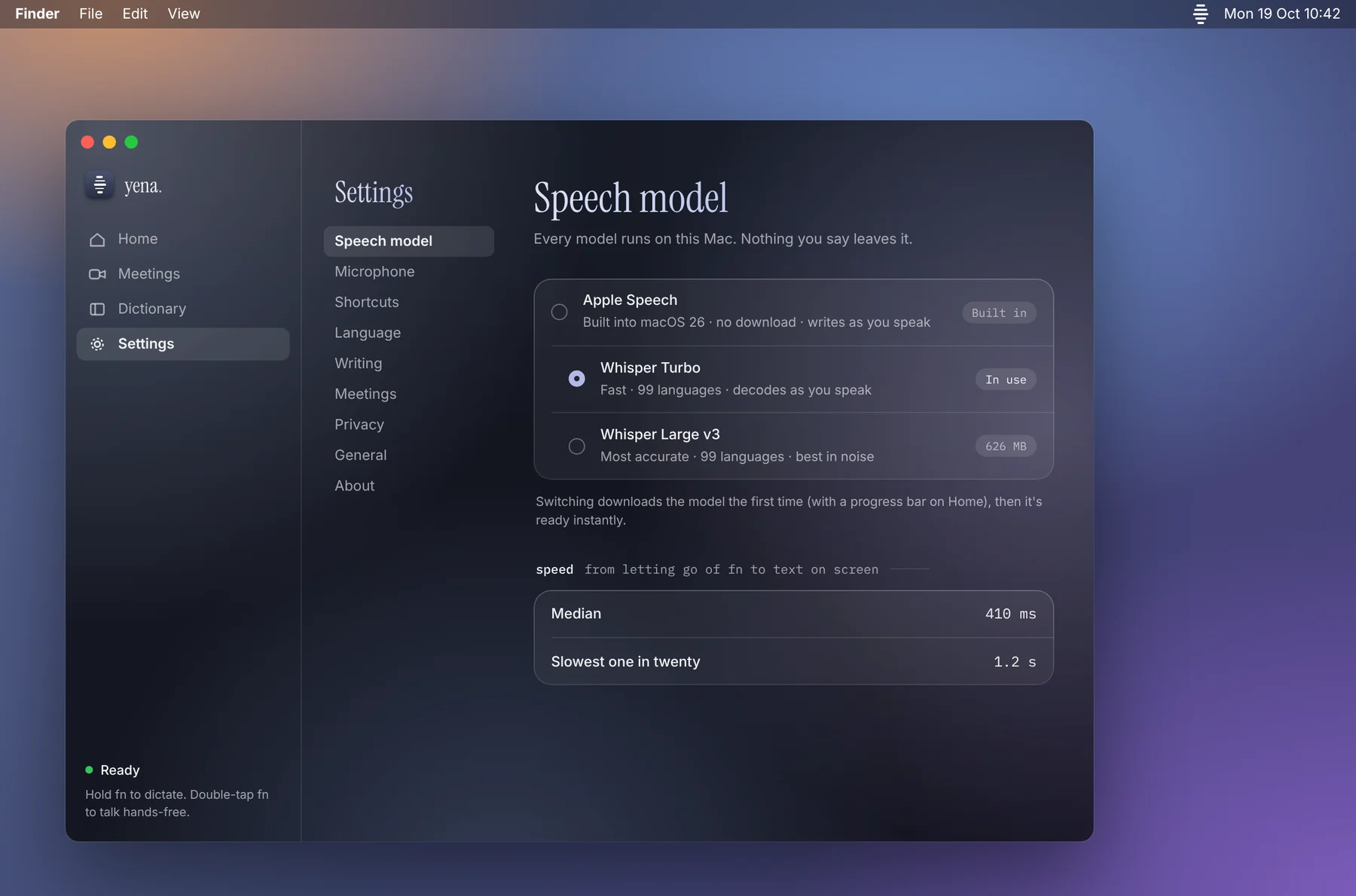
speech models, all local. Apple Speech, Whisper Turbo, Whisper Large v3. Pick one in Settings.
0 s
from release to text on an M-series Mac. Faster than switching windows.
turn off wi-fi. it still works. that is the whole proof.
04 the app

Small window. Mostly stays out of the way.

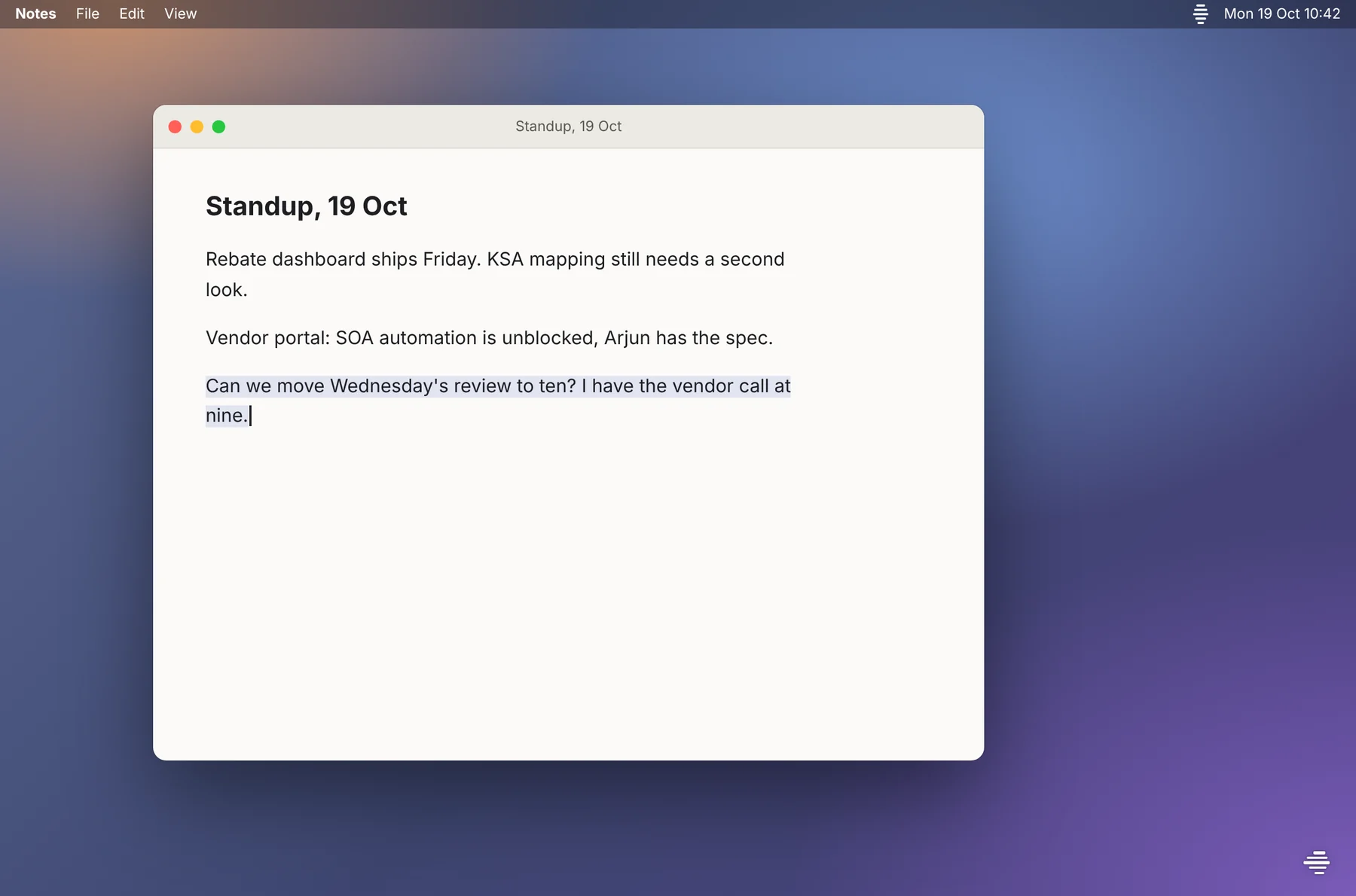
A Notes window with a sentence just dictated by Yena, and Yena's five small lines at the bottom-right corner of the screen showing it is listening.
fnHold fn in any app. The five lines at the bottom-right are the only sign Yena is listening. They move with your voice.
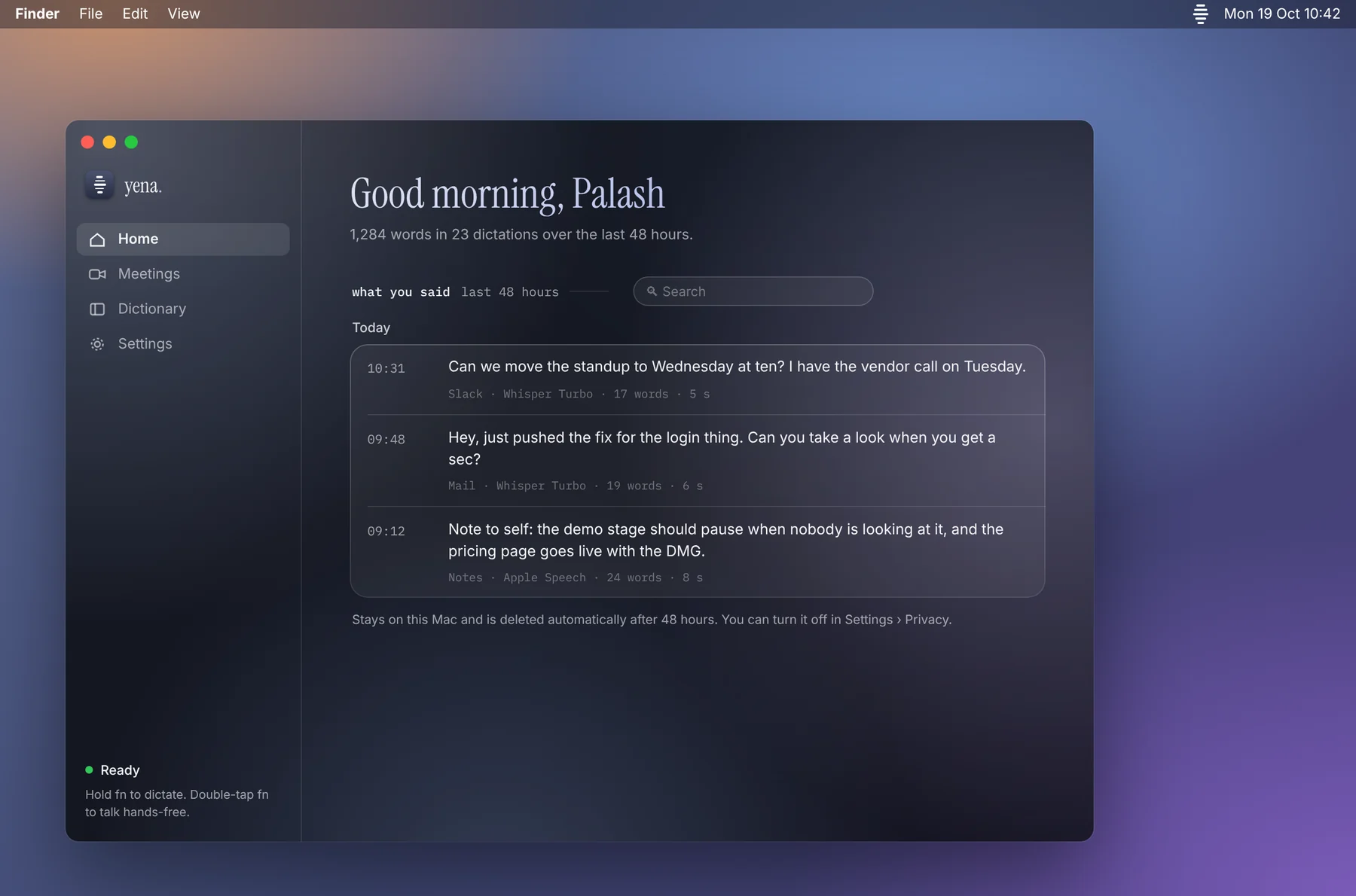
Yena's Home page: a greeting, a count of words dictated, and a searchable list of what you said in the last 48 hours with the app and model for each.
homeWhat you said in the last 48 hours, with the app it went into. Nothing is lost if it lands in the wrong place.
Yena's Meetings window during a Google Meet call: a live transcript with you and them labels, a timer, a Stop button, and past calls with summaries.
meetingsLive transcript, then a summary. Past calls stay searchable.
Yena's Dictionary page: words just learned from your corrections, a box to add a word, and the list of names Yena always spells your way.
dictionaryFix a name once and Yena learns it. Jenna becomes Yena, cooper netties becomes Kubernetes.
Yena's Settings, Speech model pane: Apple Speech, Whisper Turbo and Whisper Large v3 as a single choice, with the time from releasing fn to text on screen.
settingsThree speech models, one choice. Every one of them runs on this Mac.
Yena app icon

Get Yena.

Download the DMG

free · macOS 14+ · apple silicon

open it macOS objects: privacy & security → open anyway allow microphone and accessibility hold fn

step-by-step install guide · source on github